

The Siri calorie tracker that logs a meal in one sentence
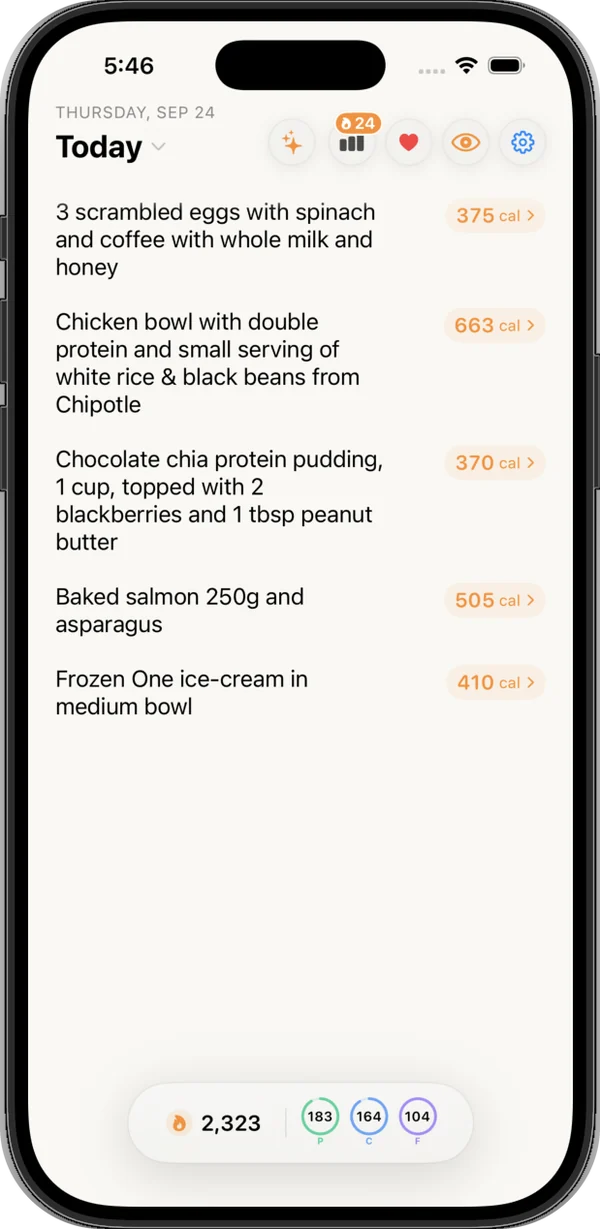
Say "Hey Siri, track food in Nouri," tell it what you ate, and you are done. No unlocking, no search box, no scrolling through 40 kinds of chicken. A card shows the meal's calories and macros plus what is left for today, right on the lock screen.
How to log food with Siri in 3 steps
- Switch Siri on for Nouri, once.Open the Shortcuts app, find Nouri, tap the "i" in the top-right, and switch Siri on. Make sure you are signed in to Nouri. That is the whole setup, and there is no custom phrase to record.
- Say "Hey Siri, track food in Nouri."Siri asks "What did you eat?" Variations work too: "log my food in Nouri," "track my dinner in Nouri," "add a meal to Nouri," or just "Nouri log."
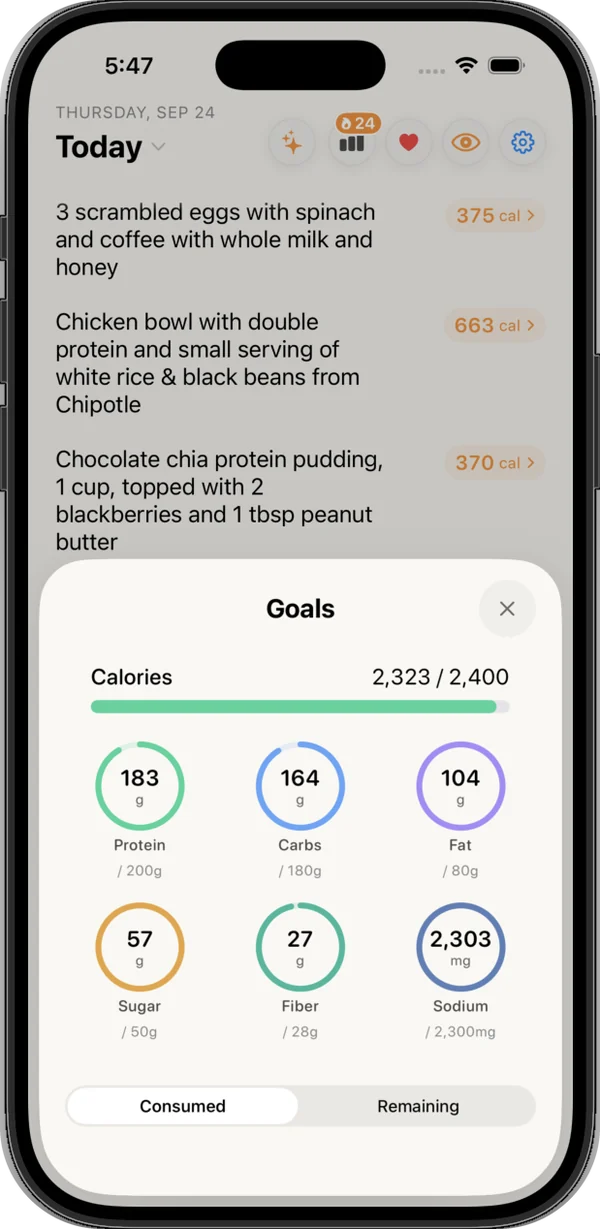
- Answer in one sentence."Two eggs scrambled in butter and a slice of sourdough toast." Nouri logs it right away, with no confirmation step, and shows a card with the meal, its calories, protein, carbs and fat, and a Today row with calories left and rings for each macro.
Full setup, lock screen settings and the Action button trick are in our guide to logging food with Siri.
Why hands-free calorie tracking matters
The meal you forget to log is the one that wrecks the week. Most logging happens with your hands full: cooking, carrying groceries, walking out of a restaurant. A hands-free calorie tracker catches those meals while you still remember the butter in the pan and the second sauce.
The card is the other half. "450 calories" on its own is trivia. "450 calories, 610 left" is a decision about dinner. Nouri fetches today's totals and goals at the same time as the meal, so the remaining number is right there. Go over and the bar turns amber, then red past 10 percent over.
That is why we call Nouri the best Siri logging of any calorie tracking app: one sentence from the lock screen, and the calories and macros card with what you have left appears right away, without opening the app.
What makes a good Siri sentence
Siri hears you once, so the sentence does the work. Include the brand, the portion, and the cooking method when you can. "Chipotle chicken bowl, brown rice, black beans, cheese, and guac" beats "a burrito bowl." Whole meals work in one go: "two slices of pepperoni pizza, a side salad with ranch, and a can of Coke" gets split into separate items, each with its own estimate and reasoning.
Siri misheard? Open Nouri, tap the line and edit the words, and Nouri re-estimates it. Or tap the calorie number, choose Recalculate, and add context like "smaller portion" or "no dressing."
Fast only counts if the number holds up. Nouri scored 92.1/100 in our 100-meal benchmark (MyFitnessPal 77.0). See how we tested it.
How it compares
Voice logging is not unique to Nouri, and that is fine. Per their own sites, checked October 13, 2026: MyFitnessPal Premium's Voice Log runs inside the app, where you describe a meal and tap once to log it, and Cronometer Gold says its Voice Log works by speaking to the app or to Siri, matched to its food data. Nouri's take is the lock screen: the app stays closed, the meal is estimated and saved, and you see what is left today. Siri is one of four equal ways to log in Nouri, along with typing, voice in the app, and photo.
Keep reading
- How to log food with Siri: the full setup guide
- Text vs voice vs photo calorie tracking
- Common food logging mistakes
- Does Apple Health track calories eaten?
- Nouri pricing and free trial
More features: Photo calorie counter, Voice food logging, Weekly Nouri Reports.
FAQ
Can Siri track calories?
Not by itself. Siri runs a calorie app's action, and the app does the estimating and saving. With Nouri, one spoken sentence logs the meal with calories and macros.
How do I set up Siri food logging in Nouri?
Open the Shortcuts app, find Nouri, tap the "i" in the top-right, and switch Siri on. Then make sure you are signed in to Nouri. There is no custom phrase to record.
What do I say to Siri to log a meal?
Say "Hey Siri, track food in Nouri," wait for "What did you eat?", then answer in one detailed sentence. Phrases like "log my food in Nouri" and "track my dinner in Nouri" work too.
Does it work when my iPhone is locked?
Yes, if Siri is allowed under Allow Access When Locked in Face ID & Passcode settings. Nouri's action does not open the app, so it finishes on the lock screen. After a restart, unlock once first.
What does Siri show after I log?
A card with the meal name, its calories, protein, carbs and fat, and a Today row with calories eaten out of your goal, how many are left, a progress bar and rings for each macro.
How do I fix a meal Siri logged wrong?
Open Nouri and edit the line's text, and it is re-estimated. Or tap the calorie number, choose Recalculate, and add context like "smaller portion." Clearing the line deletes it.
Do I need to open the app to log with Siri?
No. The action is set not to open Nouri, so the whole exchange happens through Siri. If Nouri is open, the new log appears in today's list right away.